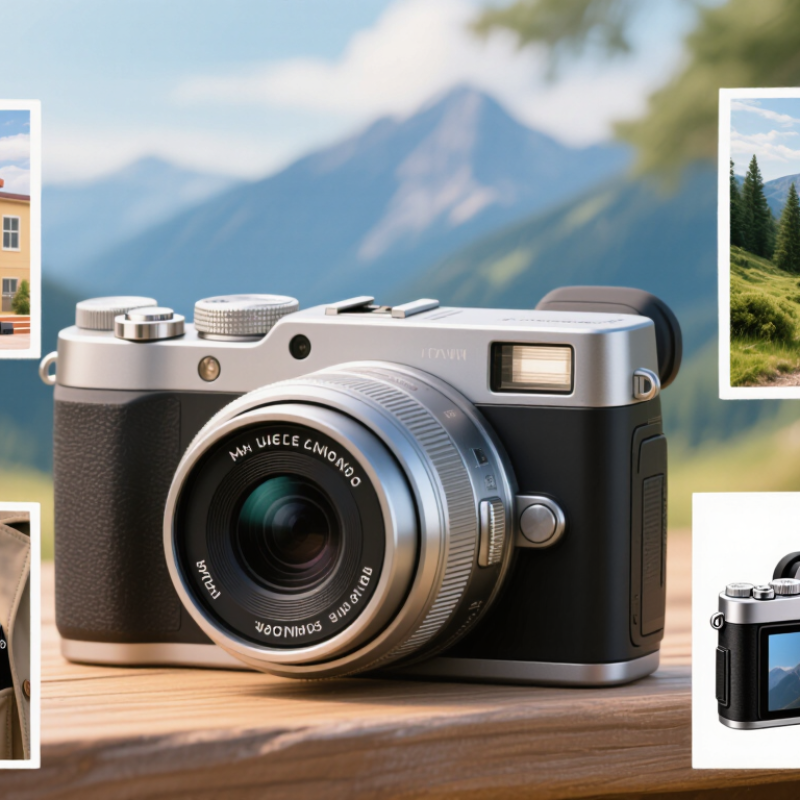
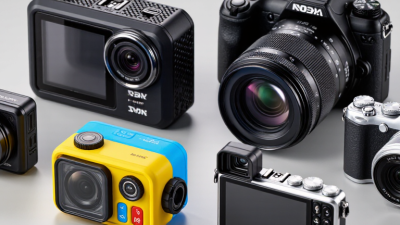
Choosing the best camera is not simply a matter of picking the highest resolution. A Portable Hd Digital Camera should fit the way you actually take pictures, whether that means filming a school performance, recording a weekend hike, or keeping a camera ready in a coat pocket. The product label alone tells you little about comfort or reliability. A bright screen can be hard to see outdoors, and tiny buttons may slow you down when a moment passes quickly. Consider the camera’s size, grip, menu layout, and screen before focusing on headline specifications. Small details matter.
Then compare the features that affect your footage. Check video resolution and frame rates, but also look for effective stabilization, microphone options, battery life, and supported memory cards. These details can shape a real outing: shaky walking footage, a full card, or a battery that runs low before the event ends. For dim rooms, read sample images and independent reviews rather than assuming that more megapixels mean better results. If possible, handle the camera and test its controls. That helps. It is not a perfect test, though; store lighting and short demonstrations rarely reflect every shooting condition. No single model suits everyone. A sensible choice balances image quality, ease of use, durability, and price, while leaving room for the kind of photos and videos you genuinely want to make.
Set the HD Target: 1080p Equals 1,920 × 1,080 Pixels
When choosing a portable HD digital camera, treat 1080p as a clear technical target, not a promise of perfect footage. It means each video frame measures 1,920 pixels across and 1,080 pixels high, usually in a widescreen 16:9 shape. That is about 2.07 million pixels per frame. The detail can make small objects easier to distinguish on a suitable display. But resolution alone cannot tell you how natural the footage will look.
Check how the camera handles ordinary scenes: a face near a window, a moving subject, or a dim room. A tiny lens and small sensor may struggle with shadows, even at 1080p. Look for sample clips and inspect edges, motion, and color on a screen you actually use. Smooth movement matters. Stabilization can help when walking, though it may crop the image slightly. Also check recording duration, battery life, and file size; high-definition clips can fill storage faster than expected. I still find the “more pixels means better video” idea tempting, but it leaves out the parts you notice first: focus, light, and steady framing.
Compare Sensor Size and Lens Aperture for Low-Light Performance
How to Choose the Best Portable HD Digital Camera
Compare Sensor Size and Lens Aperture for Low-Light Performance
When comparing portable HD digital cameras, check sensor size and maximum aperture, not just megapixels. A larger sensor generally captures more light at the same exposure, helping keep dim indoor scenes cleaner. Lens aperture matters too: a lower f-number, such as f/1.8, lets in more light than f/3.5. That can make a real difference at a café table or during a cloudy evening walk. But specifications never tell the whole story.
A camera with a larger sensor and a bright lens may perform better in low light, but it could cost more or fit less easily in a pocket. A wider aperture also creates a shallower depth of field, so a nearby face may look sharp while the background softens. On paper, choosing seems simple. In real use, it isn’t always. Think about where you actually take pictures, then compare cameras at similar zoom settings and lighting conditions. I’d still treat one impressive sample image cautiously; lighting and processing can make comparisons imperfect.
Assess Optical Zoom and Stabilization; Digital Zoom Adds No Detail
Optical zoom uses the lens to bring a distant subject closer, so it can retain more fine detail than digital zoom. Check the camera’s optical zoom range, but don’t choose by the largest number alone. At the long end, small hand movements become more visible, and the lens may let in less light. A bird’s feather or a sign across a street can reveal whether the image stays crisp.
Stabilization helps reduce blur from camera shake, especially when shooting handheld at longer zoom settings. Look for optical or sensor-shift stabilization, and check how the camera performs in sample photos at full zoom. Electronic stabilization can help with video, but it may crop the frame. Digital zoom also crops or enlarges existing image data; it adds no real detail. Fine print may turn soft.
A simple test helps. Photograph the same detailed object from the same spot, using optical zoom and then digital zoom. Compare the results at equal sizes on a screen. Keep your hands steady, but test a normal handheld shot too. Real use is messier. It is easy to overvalue a dramatic zoom figure and overlook dim indoor performance, where blur and noise can hide the detail you wanted.
Match Video Bitrate to Card Speed: SD U3 Guarantees 30 MB/s Minimum Write Speed
How to Choose the Best Portable HD Digital Camera
A fast memory card matters when a camera records high-bitrate video. The SD Association’s speed-class specification sets U3’s minimum sustained write speed at 30 MB/s, or 240 Mb/s. This is a floor, not a promise that every recording will run smoothly. Camera settings, card condition, and file handling can affect performance.
Check the camera’s stated recording bitrate before buying a card. Divide megabits per second by eight to estimate megabytes per second: a 160 Mb/s mode needs about 20 MB/s for video data alone. That leaves limited headroom on a U3 card. ITU-T H.264 Annex A lists 240 Mb/s as a maximum bitrate for certain Level 5.1 configurations, illustrating how a stream can reach U3’s stated threshold. Most camera modes differ, so verify the specific codec and setting. Leave room for variation. A slightly imperfect rule is to choose a card whose tested sustained write speed comfortably exceeds the camera’s bitrate, rather than matching the label exactly. Test a short clip, then inspect it for dropped frames before a long shoot. (Sources: SD Association, Speed Class specifications; ITU-T H.264, Annex A.)
Match Video Bitrate to Card Speed
SD U3 guarantees a minimum sustained write speed of 30 MB/s. The bars convert example video bitrates from megabits per second (Mbps) to approximate megabytes per second (MB/s) by dividing by eight. Higher bitrates can require faster cards; allow extra headroom and check your camera’s recording requirements.
Compare Portability and Battery Life Using CIPA Shot Counts
When comparing portable HD digital cameras, weigh the body and check its dimensions with the lens extended. A slim camera may fit a coat pocket, yet a protruding lens can catch on the fabric. Grip matters too. Try holding the camera one-handed, especially if you expect to frame shots while walking. Portability is not just a number on a product page; it is whether you will actually carry the camera on a full day out.
Use the CIPA shot count to compare battery life under a consistent test standard, not as a promise for every trip. That distinction matters. A camera rated for 300 shots may take fewer pictures when you review images often, use flash, zoom repeatedly, or shoot in cold weather. Video recording also drains power, and a long screen-on time can add up. Think about your own habits: a museum visit with frequent playback differs from a quick walk with occasional photos. I would leave a margin rather than plan to use every rated shot. Carrying a spare battery adds weight, admittedly, but running out halfway through a day is worse. Some estimates still feel optimistic.