Top 10 Tips for IPTV Buffering Optimisation Strategies?
In today’s digital age, streaming services have transformed entertainment consumption. However, many users face the common issue of buffering during IPTV sessions. This can be frustrating and can interrupt the viewing experience. To counteract this problem, effective IPTV buffering optimisation is crucial.
Buffering can occur due to various factors like network speed, device performance, and server issues. Understanding these factors is essential for a seamless experience. Implementing specific strategies can enhance buffering performance. Users must be aware of their internet bandwidth and the limitations of their devices. Connecting through a wired network often yields better results than relying on Wi-Fi.
Optimising IPTV performance is not always straightforward. Users might need to experiment with different settings. The ideal configuration may not be apparent at first. Additionally, learning to identify buffering triggers is a vital part of the process. Let’s explore ten practical tips for effective IPTV buffering optimisation and enhance your streaming experience.

Understanding IPTV Buffering: Causes and Effects
IPTV buffering can be a frustrating experience for viewers. Understanding its cause is essential for effective solutions. Buffering occurs when the content is being loaded slower than it is being played. Various factors contribute to this delay. Your internet connection speed is a primary culprit. A weak signal or low bandwidth often results in interruptions. Furthermore, network congestion can exacerbate the issue. Peak usage times affect many users simultaneously, leading to higher buffering rates. Apart from connectivity, the device used for streaming matters too. Older devices may struggle with resource-intensive streams. Unoptimized software can result in lag as well. Environmental factors play a role as well, such as interference from other electronics. Despite using the latest technology, users still find themselves frustrated. Sometimes, it's just a matter of waiting for the content to catch up. However, this wait can be aggravating, especially during pivotal moments in a show or event. To truly understand buffering, one must evaluate the entire viewing setup. Recognizing limitations can lead to better experiences. A basic router might not suffice for streaming needs. Users should assess both their hardware and network conditions. Being proactive about these concerns will ultimately lead to smoother streaming experiences.
Optimising Internet Connection for Smooth IPTV Streaming
Optimising your internet connection is crucial for smooth IPTV streaming. According to a recent report from Digital TV Research, over 80% of users experience buffering issues. This frustration often stems from inadequate internet speed and unstable connections. A minimum of 25 Mbps is typically recommended for HD streaming. However, many users only receive a fraction of this speed during peak times. Wi-Fi signals can degrade, especially with distance from the router. Thick walls and interference from other electronics may also contribute to poor performance. Using a wired Ethernet connection can mitigate these problems. In fact, studies show that wired connections provide a more stable throughput, reducing buffering by up to 50%. It’s essential to periodically test your internet speed and compare it to your provider’s promised rates. Network congestion often goes unnoticed. Many households share internet connections among multiple devices. If others are streaming or gaming, bandwidth becomes a battleground. Even when you feel connected, fluctuations can hinder playback quality. Consider scheduling heavy internet use during off-peak hours to ensure optimal performance for your IPTV. Essentially, examining your setup can make a real difference in reducing buffering and enhancing viewing experiences.
Top 10 Tips for IPTV Buffering Optimisation Strategies
Choosing the Right IPTV Service Provider for Minimal Buffering
Choosing the right IPTV service provider is crucial for minimizing buffering. Many users underestimate the impact of their service choice on streaming quality. According to a 2022 report by the Streaming Media Association, nearly 40% of users experience buffering issues due to inadequate service provider quality. Selecting a provider that optimizes network reliability can greatly affect your viewing experience. Reliability isn’t the only factor. Internet bandwidth also plays a role. The same report highlights that providers with higher data limits can offer a smoother experience. On average, a user needs at least 25 Mbps for 4K streaming. Yet, many services advertise speeds without guaranteeing consistency. Some users find their actual speeds fall short of expectations, causing frustration. This inconsistency in service can lead to recurrent buffering during critical moments. Additionally, customer support should not be overlooked. When issues arise, timely assistance is vital. A 2021 survey indicated that 30% of users experience delays in resolution. Choosing a provider with strong customer service can help minimize downtime. It's essential to weigh these factors carefully, as the right choice can transform your streaming experience.
Top 10 Tips for IPTV Buffering Optimisation Strategies
| Strategy |
Description |
Effectiveness Rating (1-10) |
| Choose the Right Provider |
Select a provider known for high-speed connectivity and reliability. |
9 |
| Use a Wired Connection |
Connect your device to your router via Ethernet for more stable speeds. |
8 |
| Optimize Bandwidth |
Limit other bandwidth-heavy activities while streaming. |
7 |
| Upgrade Internet Plan |
Consider a higher speed internet plan if buffering issues persist. |
10 |
| Use Quality Equipment |
Invest in a good router and modem to enhance streaming quality. |
8 |
| Adjust Streaming Settings |
Lower the resolution or bitrate settings for smoother playback. |
7 |
| Clear Cache Regularly |
Regularly clear the cache of your streaming device/application. |
6 |
| Use a VPN |
Consider a VPN to avoid throttling by your ISP, though use with caution. |
6 |
| Update Device Firmware |
Keep your streaming device's software up to date for optimal performance. |
8 |
| Monitor Network Traffic |
Use tools to analyze and manage network usage effectively. |
7 |
Configuring Router Settings for Enhanced IPTV Performance
To enhance IPTV performance, configuring your router settings is crucial. Start by positioning your router in a central location. This helps maximize the signal strength throughout your home. Avoid placing it near thick walls or metal objects. They can interfere with your signal.
Adjusting Quality of Service (QoS) settings is another essential tip. Prioritize the bandwidth for your IPTV streaming. This ensures your IPTV service gets the necessary speed. You may find this feature in the router settings menu. Different routers may have varying interfaces.
Regular updates can also improve performance. Make sure your router's firmware is up to date. Outdated software can lead to connection issues. Additionally, consider using a wired connection when possible. Ethernet cables provide a stable connection compared to Wi-Fi. Remember, small changes can lead to noticeable improvements in your streaming experience.
Monitoring and Adjusting Streaming Quality Based on Network Conditions
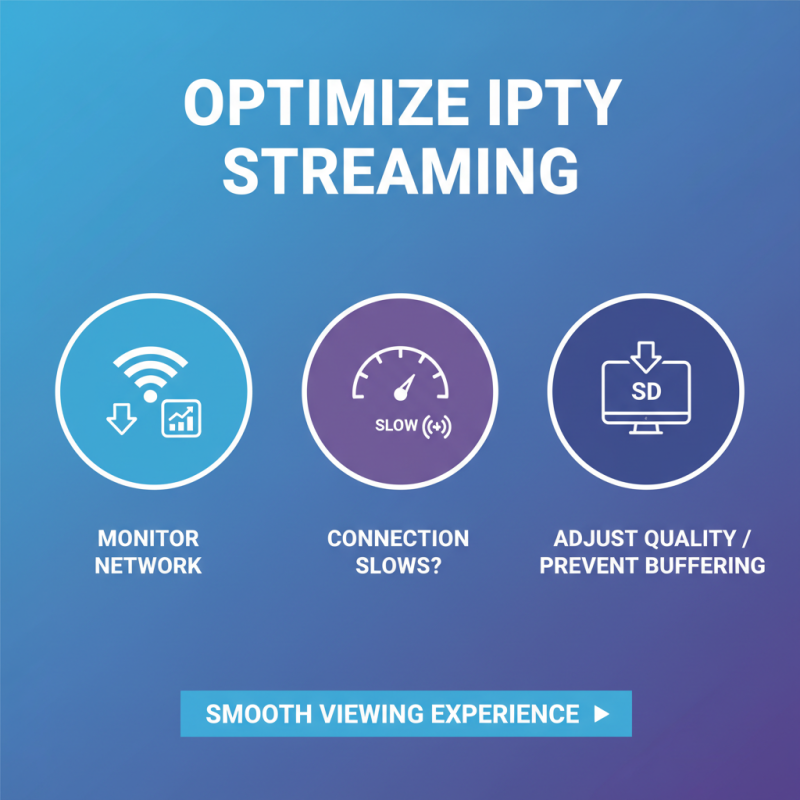
When streaming IPTV, network conditions can vary significantly. Monitoring these conditions is essential for a smooth viewing experience. If your connection starts to slow down, it’s crucial to adjust the streaming quality. Lowering the resolution can help prevent buffering. This is a pragmatic step that many overlook during peak usage times.
Another practical tip involves using speed tests. Regularly check your internet speed. If your upload and download speeds aren’t sufficient, consider upgrading your plan. Adjusting your router’s position can also enhance performance. Make sure it is central in your home and free from obstructions. Sometimes, simple changes can make a big difference.
Lastly, consider dedicated bandwidth for streaming. If other devices are consuming large amounts of data, it can lead to buffering. Restricting these devices during important viewing can optimize your stream. Additionally, using an Ethernet cable instead of Wi-Fi might yield better results, yet many neglect this option. Understanding and acting on these strategies can significantly enhance your IPTV experience.