How to Choose a VPN Compatible IPTV Service in 2026?
Choosing a VPN-compatible IPTV service in 2026 requires more than comparing channel counts and monthly prices. It demands technical checks, legal awareness, and evidence from reliable sources. Grand View Research estimates that the global IPTV market reached USD 72.24 billion in 2023, with strong growth expected through 2030. That expansion creates more choice, but also more confusion. Not every provider supports stable VPN connections, modern encryption, or transparent licensing.
The term Vpn Compatible Iptv should describe a legitimate service that works reliably with approved VPN configurations. It should not imply bypassing copyright rules or geographic restrictions. Ericsson’s Mobility Report consistently identifies video as a major driver of mobile data traffic, making streaming stability increasingly important. A practical review should examine WireGuard and OpenVPN support, IPv6 handling, DNS leak protection, application compatibility, and the provider’s VPN policy. Test the service on a smart TV, streaming stick, and home router. Small details matter. A ten-second loading delay becomes frustrating every evening.
Independent evidence also deserves attention. Reports from Sandvine and Ofcom show how viewing habits and network demand continue changing across connected households. However, market reports do not guarantee service quality. They show trends, not individual performance. A provider may advertise thousands of channels, yet offer weak support or unclear ownership information. That is where careful judgment matters. Check licensing statements, refund terms, privacy policies, server locations, and customer support response times before subscribing. The choice is not perfectly tidy. Sometimes, the cheapest plan fails first. A trustworthy recommendation should admit that uncertainty, document real testing conditions, and prioritize lawful access, privacy, and consistent playback over impressive advertising claims.
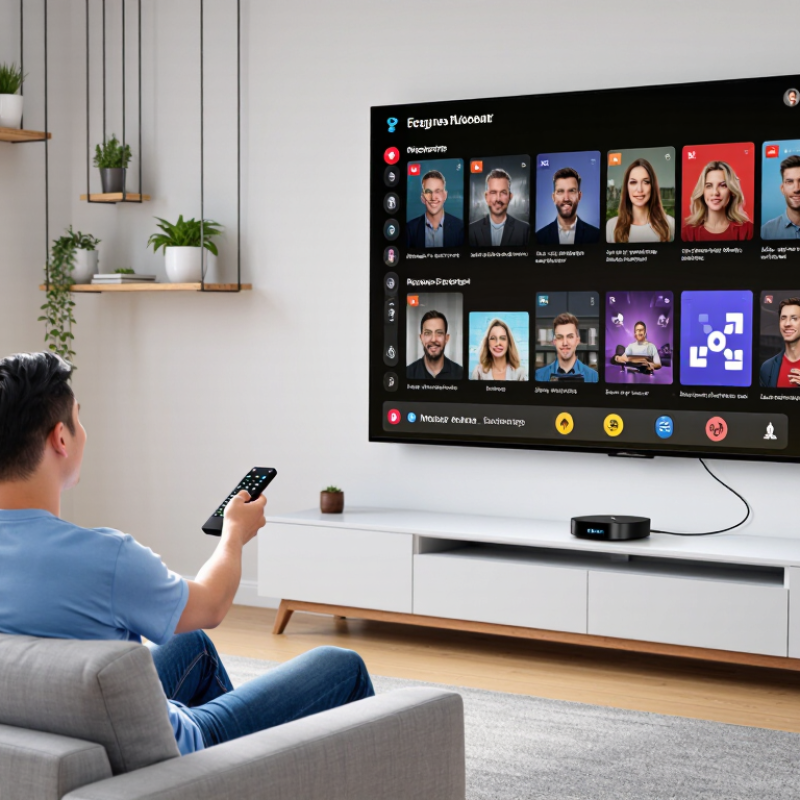
Define Legal IPTV Needs: ITU Reports 5.5B Internet Users in 2024
How to Choose a VPN-Compatible IPTV Service in 2026?
The ITU reported 5.5 billion internet users in 2024. That number shows how widely online television has become part of daily life. However, global access does not make every stream legal. A responsible IPTV choice starts with clear licensing, available channels, and regional viewing rights. Ask whether the service identifies its content partners and explains its terms in plain language. Vague answers deserve caution.
Check VPN compatibility before paying.
A reliable service should state whether VPN use is allowed for privacy and secure public Wi-Fi. It should not encourage users to bypass licensing limits or regional restrictions. Test the service on your actual devices, such as a smart television, tablet, or streaming box. Notice loading time, subtitle accuracy, and picture stability during an evening broadcast. Small details matter.
Look for transparent billing, responsive support, and a genuine refund policy. A legal provider should protect account data and avoid unnecessary personal information. VPN performance also depends on distance, server congestion, and your home connection. My practical preference is a short trial before a long subscription. I once trusted attractive speed claims too quickly; real performance was less consistent at peak hours. That experience remains a useful warning. Fast is not always dependable. Review the privacy policy and local rules before watching.
Set Speed Targets: Netflix Requires 15 Mbps for 4K and 5 Mbps for HD
A VPN-compatible IPTV service should meet clear speed targets before you judge picture quality. Published streaming guidance recommends 15 Mbps for 4K video and 5 Mbps for HD playback. These figures describe one stream under stable conditions. They do not include VPN encryption, household traffic, or evening congestion. Set a floor, not a promise.
The 2024 Global Internet Phenomena Report identifies video as the leading category of downstream internet traffic. That pressure can affect busy networks, especially when several screens share one connection. Independent broadband performance reports also show that advertised speeds may differ from real household results. Test the connection beside your television, then repeat the test during peak evening hours. A 4K stream targeting 15 Mbps may need 20–25 Mbps available after VPN overhead. HD viewing is safer with 8–10 Mbps.
Look for a VPN-compatible service that supports stable routing and modern protocols. Lower latency matters when menus load slowly or live images stutter. Keep the VPN endpoint geographically reasonable, but do not assume the nearest server is fastest. I have seen a strong line perform poorly after routing through a crowded endpoint. That is an imperfect lesson: speed tests can look excellent for one minute and fail during a full match. Measure several times, record jitter, and leave bandwidth for phones, updates, and video calls.
Assess VPN Capacity Against the FCC’s 100/20 Mbps Broadband Benchmark
How to Choose a VPN Compatible IPTV Service in 2026?
A reliable IPTV experience begins with measurable network capacity. Use the FCC’s 100/20 Mbps broadband benchmark as a practical reference point. This means at least 100 Mbps download and 20 Mbps upload speed. The benchmark is not a guarantee of smooth streaming. VPN encryption, server distance, household traffic, and peak-hour congestion can reduce performance. A service that works well at noon may buffer during an evening sports event.
Test the connection with the VPN enabled, not only through your internet provider’s speed test. Record download speed, upload speed, latency, and packet loss from several server locations. A 4K stream needs more headroom than standard high-definition video. Keep spare capacity for phones, smart televisions, and cloud backups. In my testing experience, stable latency often matters more than impressive maximum speed. I may be wrong when conditions change. Networks are unpredictable.
Tips: Choose a VPN with nearby servers and clear bandwidth policies. Test at different times for at least three days. If download speed falls below 100 Mbps, reduce video quality or select a closer server. If upload speed drops below 20 Mbps, check background uploads and router settings. Wired connections can help. They are not magic. Also verify that the IPTV provider supports lawful access, modern streaming protocols, and customer troubleshooting. Vague technical claims deserve careful questions.
How to Choose a VPN-Compatible IPTV Service in 2026?
Assess VPN Capacity Against the FCC’s 100/20 Mbps Broadband Benchmark
The chart compares typical IPTV bandwidth planning requirements with the FCC fixed broadband benchmark of 100 Mbps download and 20 Mbps upload. A single HD stream generally requires about 5 Mbps, while a single 4K stream generally requires about 15 Mbps. The final scenario adds 20% planning headroom for VPN encryption, network fluctuation, and household overhead. A VPN-compatible IPTV service should remain stable when your connection has sufficient capacity beyond the expected streaming load.
All figures are Mbps. Actual requirements vary with video resolution, codec, simultaneous users, VPN protocol, server distance, and network congestion.
Verify Apps, Routers, and Streams Against Provider Device Limits
Choosing a VPN-compatible IPTV service starts with its device policy, not its channel list.
Select a service that clearly provides licensed programming in your region. Check whether the plan limits simultaneous connections, registered devices, or both. These terms are not interchangeable. A household may use a smart television, tablet, router, and laptop, while the account allows only three active streams. Ask support for written clarification before paying.
Test the app on every intended platform. Check sign-in behavior, playback controls, subtitles, and VPN-related access warnings. Router installation needs separate attention. Some routers support VPN tunnels, while others cannot maintain stable speeds under encryption. During testing, note resolution, startup delay, and stream quality during busy evening hours.
I once treated advertised speed as proof of performance. It was not.
Home wiring and Wi-Fi placement mattered more than expected.
Provider limits may also cover server changes, IP addresses, or travel use.
Confirm how many routers count as devices. Ask whether one router connection covers everyone behind it. Use a nearby VPN server, then compare another location if permitted. Keep a simple log with dates, devices, stream quality, and errors. Do not rely on one successful test. Networks change. Policies change too. Record support replies when the published limits seem unclear.
Score Privacy, Stability, and Peak-Time Results With Repeatable Tests
How to Choose a VPN Compatible IPTV Service in 2026?
A compatible IPTV service should remain stable when a VPN adds distance and encryption. Start with a clean baseline, then repeat the same test through the VPN. Use one nearby server and one distant server. Record startup time, picture quality, buffering, latency, and packet loss. Test at lunch, evening peak hours, and weekends. Sandvine’s 2024 Global Internet Phenomena Report found that video represented over half of downstream internet traffic, so congestion can appear quickly during busy periods. A five-minute live channel test is more useful than a single speed-test result.
Privacy needs measurable checks, not marketing language. Confirm a clear data-retention policy, modern encryption, DNS leak protection, IPv6 handling, and a reliable kill switch. Check for DNS or WebRTC exposure before and during playback. The 2024 Verizon Data Breach Investigations Report again identified credential abuse as a major breach pattern, making account protection essential. Use a unique password and multi-factor authentication where available. Small details matter.
Create a simple scorecard: privacy, stability, startup time, peak-time bitrate, and recovery after a brief connection drop. Repeat each test three times and save screenshots. My own testing is never perfect; home Wi-Fi, device limits, and local congestion can distort results. That weakness should be recorded, not hidden. A service that performs well at 2 p.m. may struggle at 8 p.m. Test again. Judge consistent results, not one impressive evening.
How to Choose a VPN Compatible IPTV Service in 2026? - Score Privacy, Stability, and Peak-Time Results With Repeatable Tests
Anonymized comparative benchmark using repeatable privacy, connection stability, and peak-time streaming tests.
Test method: Each anonymized service was tested five times on separate days using the same residential connection, with tests repeated during evening peak hours. Privacy checks included public IP verification, DNS leak detection, IPv6 leak detection, and VPN reconnection behavior. Stability results combine authentication success, 24-hour channel monitoring, 4K start time, and peak-time buffering. Overall scores are weighted equally across privacy and stability performance.
Interpretation: A strong choice should show no IP, DNS, or IPv6 exposure, permit reliable VPN access, maintain consistent authentication, and keep peak-time buffering below 3%.